Showing top 0 results 0 results found
Showing top 0 results 0 results found
10 Best Practices When Using an AI Email Generator for Customer Outreach


Customer outreach has become more convenient than ever with AI email generators and access to better customer data.
But you still need a clear process and human oversight to make sure customers feel seen and supported.
Let’s take a closer look at 10 best practices you can use to create more thoughtful, effective customer outreach with AI email generators.
Organize your outreach process with a project management tool
Think of customer outreach as a strategic process.
AI email generators make creating outreach easy, but managing full outreach marketing campaigns takes more planning. Consider using AI in project management to keep your workflows organized and your team aligned.
For example:
-
Map workflows: Break outreach into phases and milestones so everyone knows what’s next.
-
Assign tasks: Link drafting, approvals, and analytics to team members with deadlines.
-
Track progress: See how campaigns, content, and internal tasks are moving at a glance.
-
Store assets and notes: Keep briefs, drafts, and feedback in one place.
-
Connect outreach to bigger projects: Align emails with launches, product updates, and sales goals.
TL;DR: An AI email generator handles the messaging, but a PM tool gives you the planning, visibility, and coordination to run campaigns smoothly.
Leverage your company data, playbooks, and knowledge base
Give AI email generators context. Solidify your internal data, sales playbooks, and knowledge base so emails reflect how your team communicates and sells.
This helps the AI stay on-brand, reference the right offers, and avoid generic messaging. It also makes your outreach more consistent across reps and campaigns, even as you scale.
Use email segmentation for hyper-personalized marketing campaigns
Tailor your email outreach by segmenting your customers.
Copilot Studio makes it easy to create customer segments without digging through data. Just describe the group you want — like “customers who joined in the last 30 days” or “subscribers interested in product updates” — and AI sets up the segment automatically.
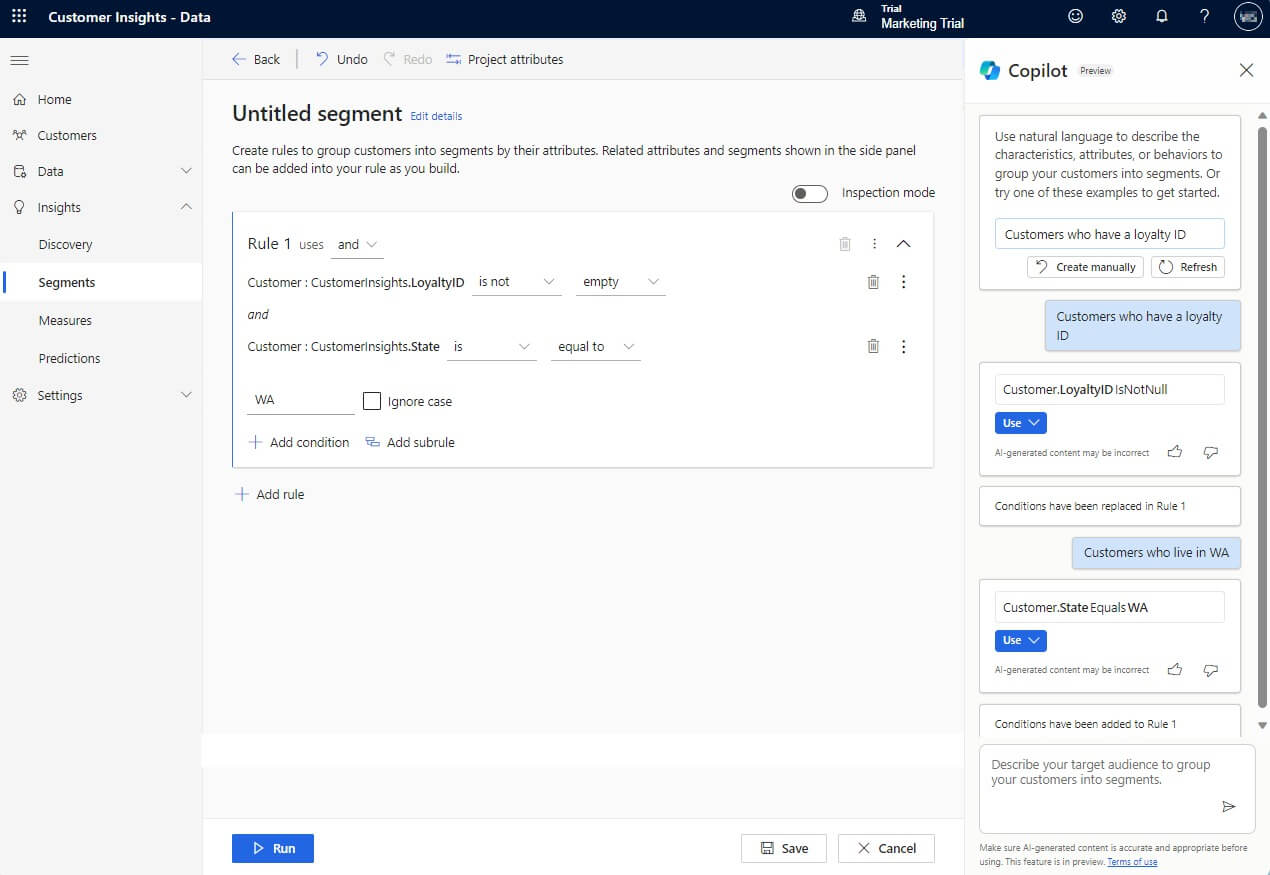
With your segments ready, you can generate emails that feel personal and relevant. AI speeds up the process, while targeting the right group to keep your outreach effective and engaging.
Write targeted prompts
Use writing prompts that prioritize customer relevance and your message’s intent.
For example:
“Write me a customer outreach email that <your message’s intent> for a
For the data set, reference the recipient’s role, challenge, or recent action. Avoid prompts that only swap in a name or company. (More on customer data below.)
Once you find prompts that perform well, save them. Turn them into reusable prompt templates with required inputs like: Audience, pain point, offer, and CTA. You can also adjust these for an email reply, marketing promotion, or holiday event.
Use customer data to personalize outreach emails
Make data an integral part of your email communication.
The most common mistake in automated outreach is treating the AI as a simple copywriter rather than a strategist.
To maximize your response rates, integrate your email tools with AI decisioning engines that analyze data in real-time.
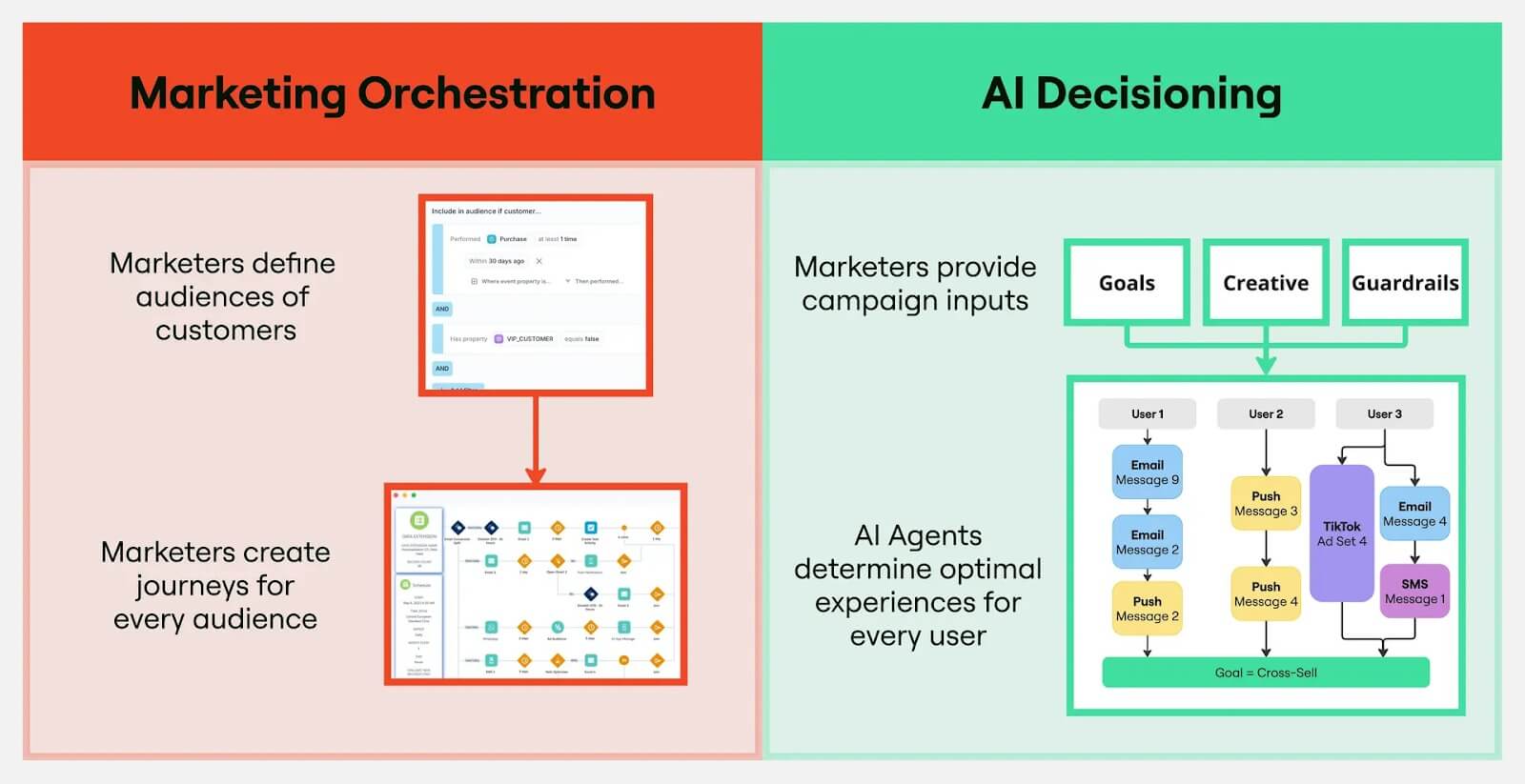
Instead of sending a generic “following up” email, a decisioning-led system evaluates whether a customer just visited your pricing page, downloaded a whitepaper, or ignored your last three LinkedIn posts.
It then autonomously decides the “next best action,” which might be to delay the email by two days or pivot the entire messaging angle to focus on ROI rather than features.
Edit your AI email messages heavily
Read each email out loud before sending it to customers.
As you read it aloud, notice when the flow gets interrupted.
Use this editing checklist for support:
Reduce spam-filter and pattern-detection risks by removing excessive terms and overly repeated words.
Replace generic AI openings. Use a human-written hook that’s relevant and personalized.
Stick to short, focused emails. Choose a few key points from the email and cut the rest.
Edit anything that sounds scripted or stiff in your unique brand voice.
Vary sentence structure and phrasing.
Cut anything that sounds off.
Add your personal touch.
Remove fluff.
Your goal: Use a consistent brand voice (that aligns with your brand values) in all of your outreach emails. And help your customers feel supported.
Test multiple email communication styles for your customer groups
Identify which email communication style leads to more engagement, sales, and loyalty.
Start with this email composition process and vary each message by customer group:
-
Have an engaging subject line that sparks curiosity.
-
Include an appropriate/relevant greeting.
-
Include a direct body.
-
Include an actionable closing.
-
Include your signature.
-
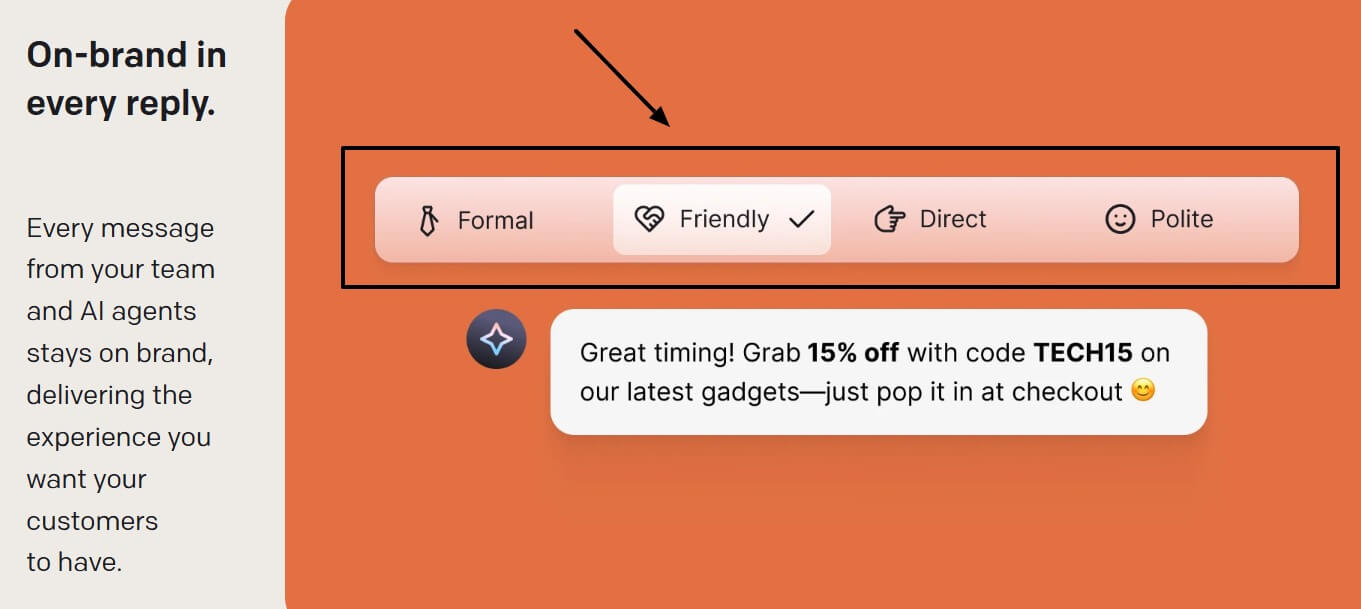
Make sure the tone selection matches the recipient and purpose. (See image below.)
-
Proofread before sending for clarity and impact.
Try these copywriting messaging styles across your customer groups to see which ones land:
PAS (Problem–Agitate–Solution):
-
State the problem your reader recognizes.
-
Highlight the cost of leaving it unsolved.
-
Position your solution as the fix.
-
End with one clear action.
-
Match tone to the audience.
-
Edit for clarity and punch.
AIDA (Attention–Interest–Desire–Action):
-
Grab attention with a clear outcome or pain point.
-
Build interest by showing relevance.
-
Create desire with a strong benefit.
-
Prompt one action.
-
Keep the tone on-brand.
-
Polish before sending.
Before–After–Bridge:
-
Describe the current challenge.
-
Show the better outcome.
-
Bridge with your solution.
-
Ask for the next step.
-
Personalize the tone.
-
Tighten the message.
Make use-case email outreach templates
Create email templates your teams and AI tools can reference.
(Email templates are pre-written emails, not AI prompts. Use them for common scenarios like customer promos, follow-ups, or loyalty campaigns.)
Build these templates based on the emails that performed well during your messaging testing. Tweak them by segment, intent, or trigger instead of starting from scratch every time.
Track email insights and learn from replies
Check your email marketing insights to see how customers are engaging with your emails.
Which emails led to sales? Which ones led to click-throughs? Which ones got shared?
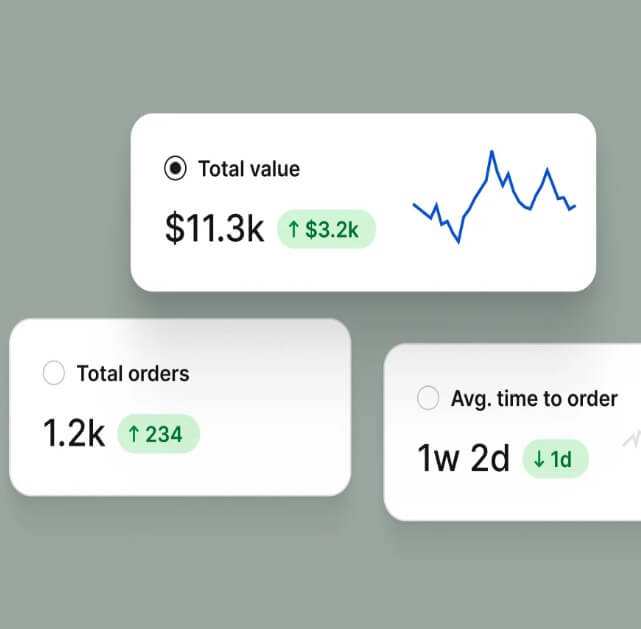
Check email replies for insights, too. Pay attention to questions, objections, and patterns in how people respond.
Use these details to improve your prompts, templates, and segmentation. If people keep asking the same question or pushing back on the same point, adjust your emails accordingly.
Continue to lean on this feedback loop to write clearer emails and improve response rates.
Be proactive about cybersecurity with exposure management
Keep customer data safe during your outreach campaigns.
Get ahead of this with exposure management, a process that helps make sure personal info, like names or purchase history, isn’t shared by accident.
Using AI at scale makes this extra important. Follow best practices to keep emails secure, compliant, and trustworthy.
Does the Text App help with email outreach?
Yes, the Text App does help with email outreach. ✅
Text App supports AI-driven outreach that includes outbound and follow-up email.
With the Text App, you’ll get live chat, email, and Messenger in one place, so customer conversations stay in a single thread instead of scattered across tools. This makes it easier to manage outreach, follow-ups, and replies without losing context.
The platform also includes multiple email templates, so teams can respond faster and stay consistent. You can create and manage templates for different scenarios, rather than rewriting the same messages.
There’s also a visual, no-code email template builder. Teams can customize layouts, branding, and messaging without technical work, and create different looks depending on who the message is going to.
Together, these features turn email outreach into a structured, scalable process — as long as your knowledge base and sales playbooks are well set up.
Wrap up
AI email generators make customer outreach faster, but results come from how you use them.
Combine strong prompts, real customer data, human editing, and organized workflows, so outreach feels personal instead of automated.
Text App can help. Use it to manage, scale, and refine your AI-powered outreach without losing context or consistency.
Want to see it in action? Try Text App now.
FAQs about AI email generators
What is customer outreach?
Customer outreach is when a business actively connects with customers to build relationships, stay top-of-mind, and encourage loyalty. This can be through emails, calls, or special offers, all aimed at keeping the connection strong.
What is an AI email generator?
An AI email generator is a tool that uses Artificial Intelligence to write or suggest email content automatically. Some are standalone apps. Others are part of app ecosystems that include access to analytics and outreach workflows.
Can an AI email writer tool replace human writing?
No. AI writing tools assist by drafting content or rough email drafts but the messaging still needs human editing and oversight.
Are AI-generated emails effective for customer outreach?
AI-generated emails can be effective for outreach if you personalize, edit, and align them with your target audience and goals. Use CRM software tools to pull data so you can personalize each email.
How do I personalize emails for customer outreach with AI and email creation tools?
To personalize a sales outreach email, refer to internal info (like playbooks and knowledge base articles) and customer data. Add relevant details about the recipient’s role, challenges, or recent actions from your CRM database.
Can AI emails for customer outreach cause spam issues?
Yes, repetitive phrasing or poor editing in AI emails can trigger spam filters.
What are common mistakes when using AI email generators during the content creation process?
Common mistakes include over-reliance on outputs without editing, lack of personalization, and ignoring tone.